

Quick start guide
Follow these simple steps to get started with Ashby
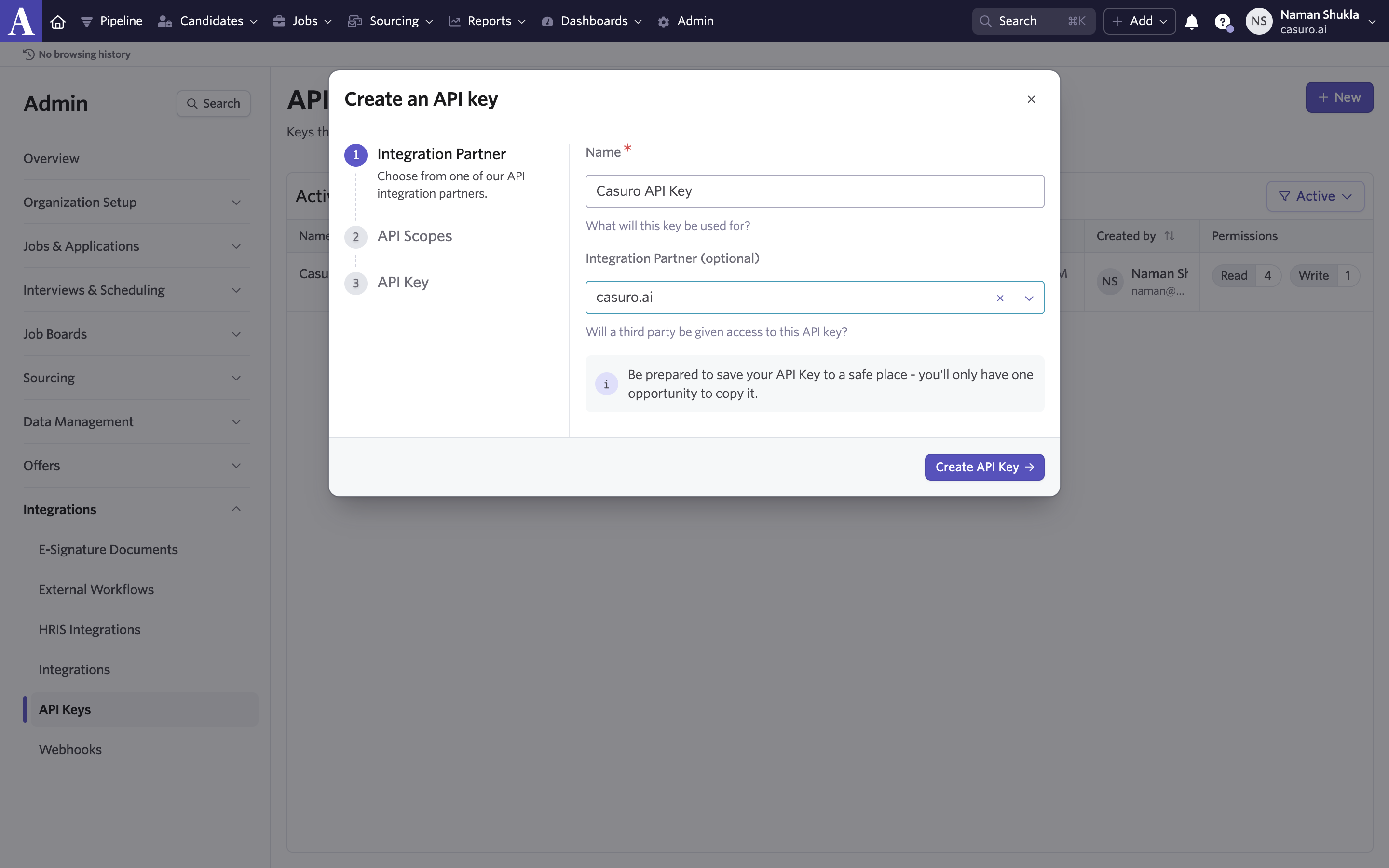
Create API key in Ashby
Login to Ashby and go to Admin and then API keys. Click on create API key, give it a name and select casuro.ai as integration partner. Copy the API key.
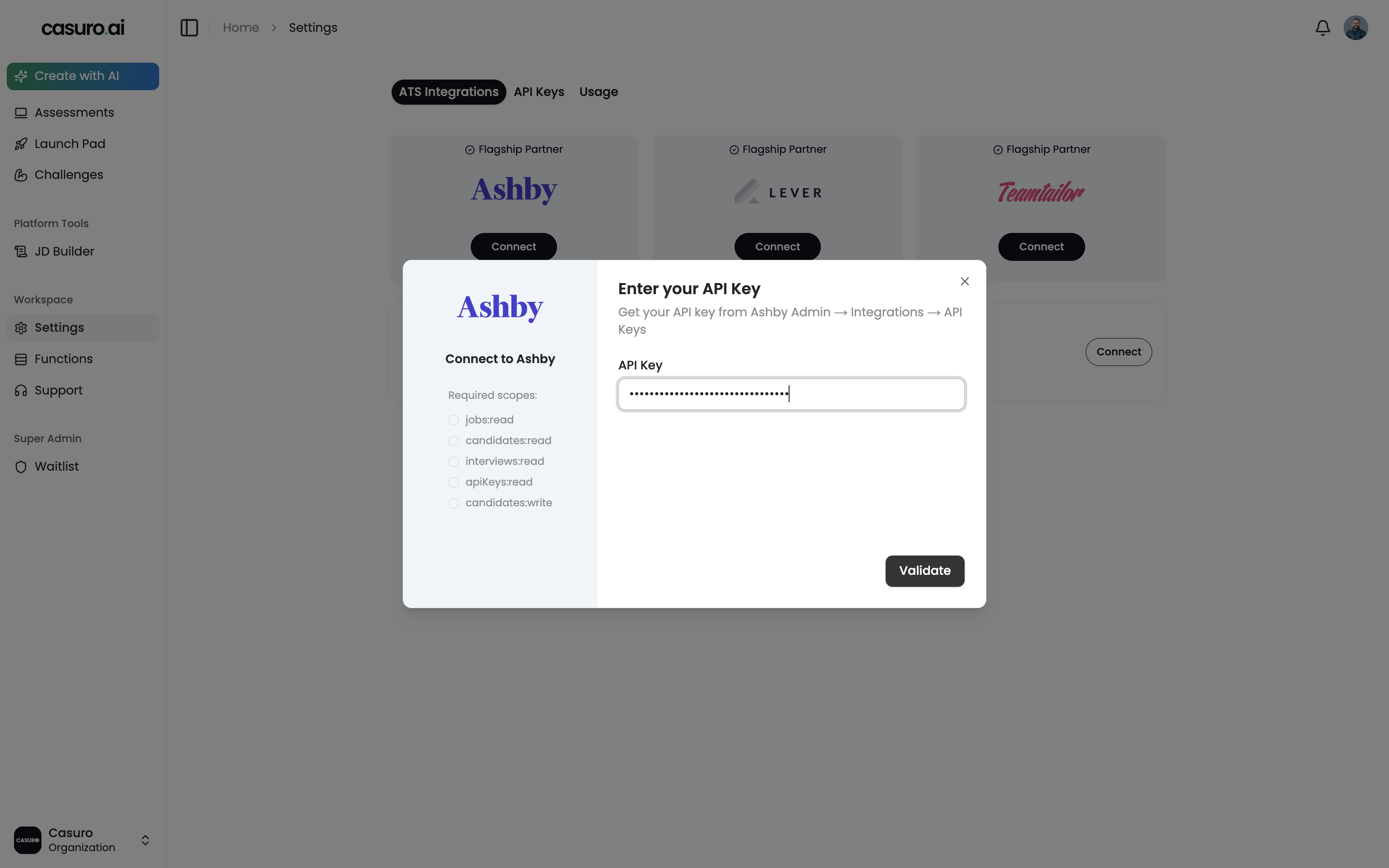
Add Ashby API Key in Casuro
Now, login to casuro.ai and open settings. Under the integrations tab, click on add integration and select Ashby. Paste the API key from Ashby.
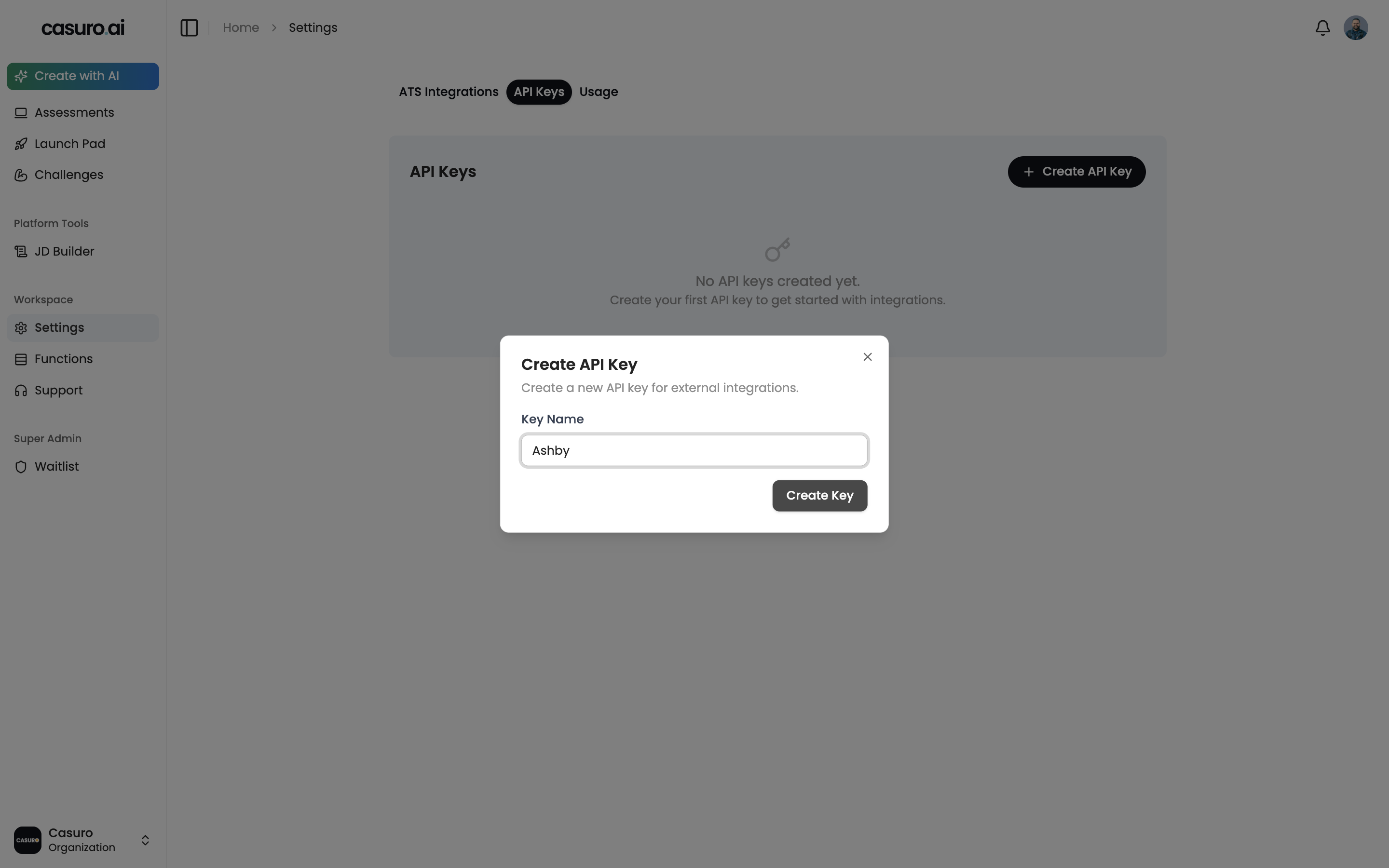
Create API key in casuro.ai
Click on API keys tab in settings page and click on create API key. Give it a name and copy the API key.
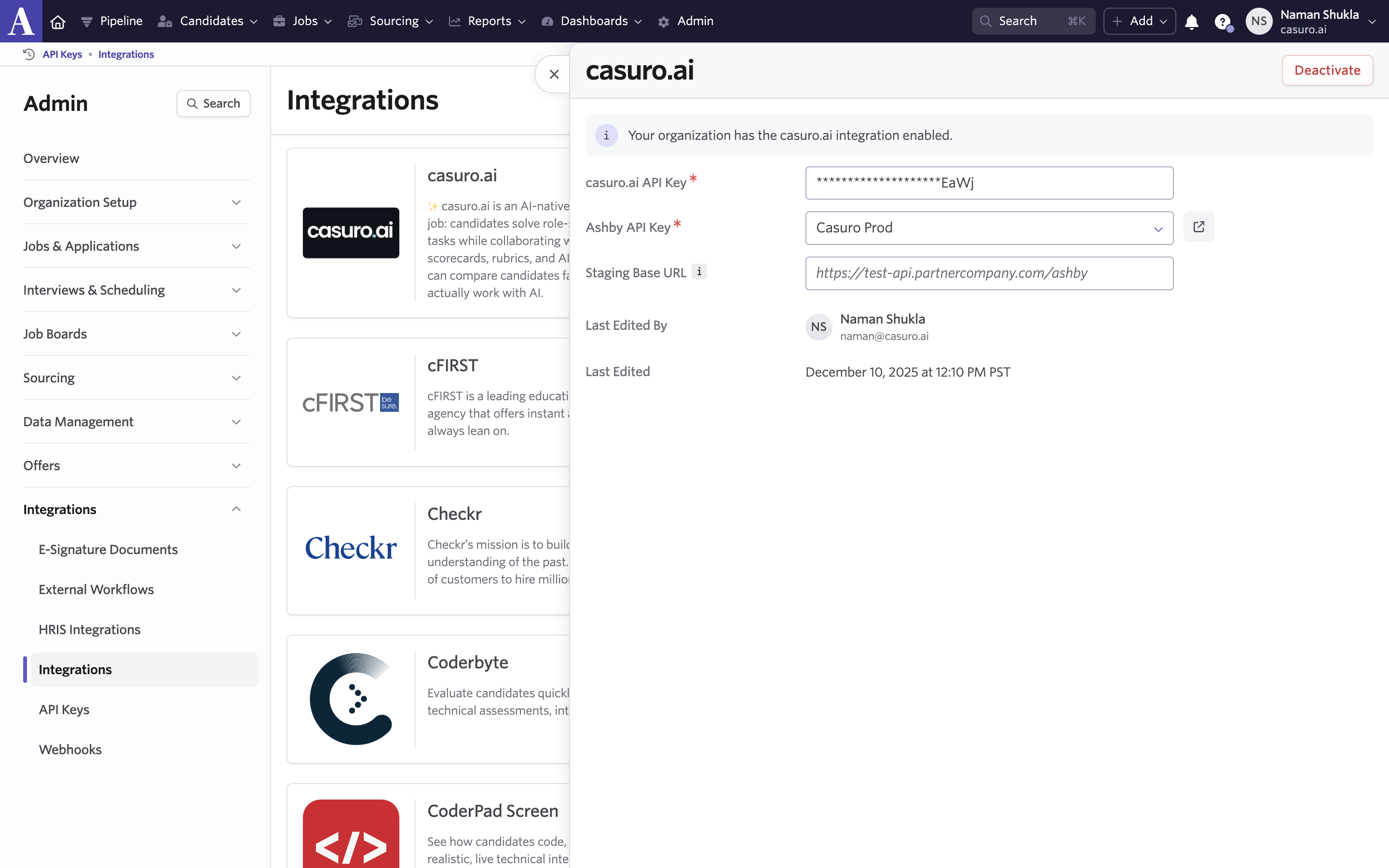
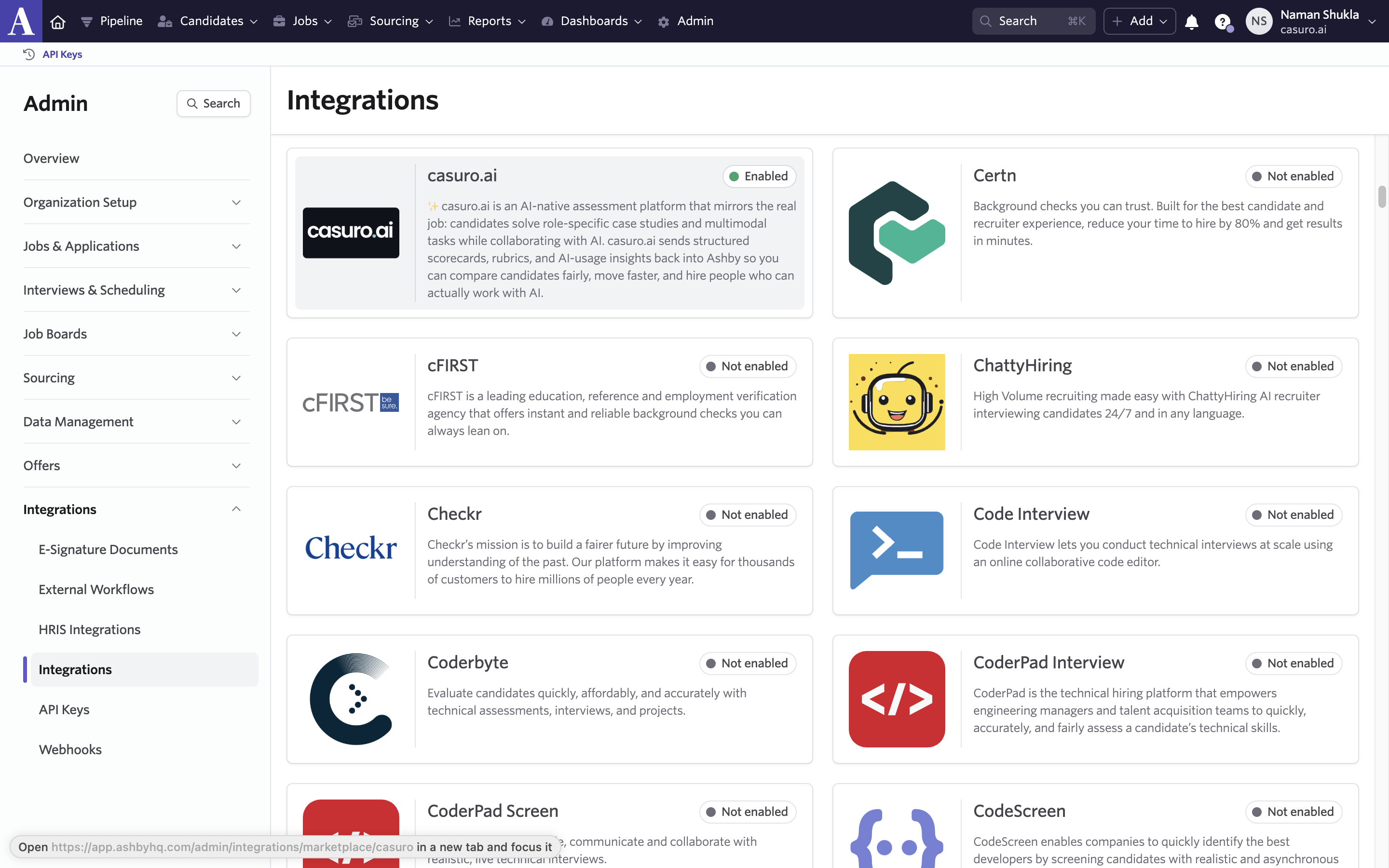
Enable Ashby integration in casuro.ai
In Ashby, got to Admin, then integrations and then click on casuro.ai integration. Enable the integration.
Add casuro.ai API Key in Ashby
Login to casuro.ai and open settings. Under the integrations tab, click on add integration and select Ashby. You will be asked for an API key from Ashby.
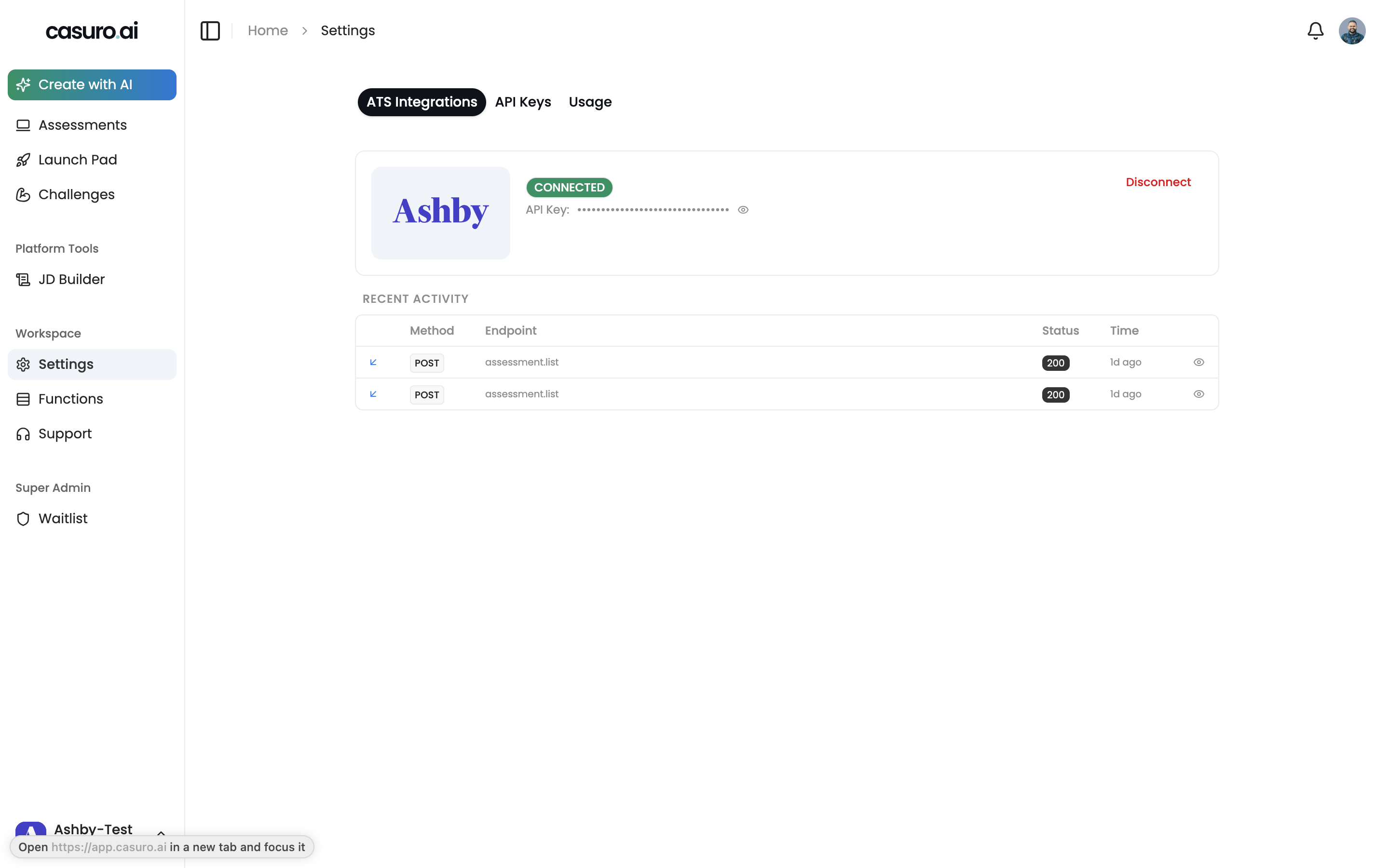
You are all set 🎉
You can now use casuro.ai assessments and see them pop up in Ashby.
Ready to get started?
Connect Ashby with Casuro today and transform your hiring process.